How to Use the Chat Module
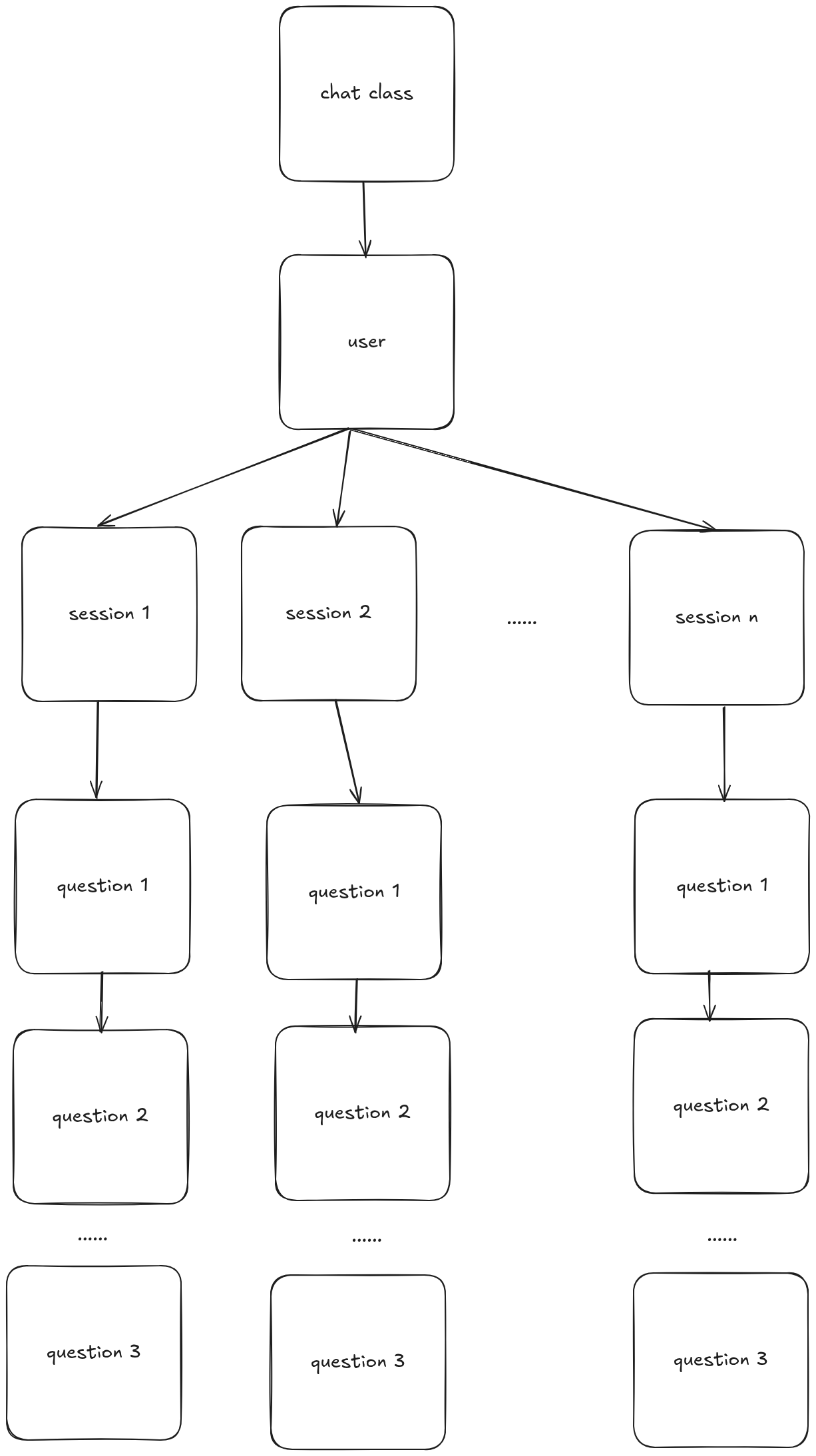
This module is built to let you run multiple chat sessions in parallel with an AI model (like gpt-3.5-turbo, deepseek-chat, qwen-plus). Each session belongs to one user, but a user can have multiple sessions at the same time.
Think of it like this:
- You are the user.
- Each session is like a separate conversation thread.
- The module will handle running them all at once and can save the results for you.
1. Initialize the Chat
chat = Chat(MODEL, try_mode=True)
MODELis the model name you want to use.- You can also set options like
temperatureor add afilterfunction if you want to change the output style.
2. Add a Prompt
chat.use_prompt("Use email format the answer following question? {question}")
- This sets a system prompt for all sessions.
- The
{question}placeholder will be replaced by each question you send. - If the input is a string, but placeholder in the prompt. The placeholder would be ignored and input will be appended in the prompt.
3. Choose the Output Format
- Save results to file as JSONL:
chat.save_to("Translation/translation2.jsonl", disable_return=True).to_json()
Writes all answers into a file.
Each line is one response in JSON format.
disable_return=Truemeans it won’t return results to your program, only save them.Print results in JSON format:
chat.to_json(indent=2)
- Outputs JSON to the console.
indent=2makes it pretty-printed.
4. Run the Chat
results = await chat.achat(questions)
questionsis a list of sessions, and each session is a list of questions.- Example:
questions = [
    [{'question': "what is 氣?"}, "what is 阴阳五行"],  # session 1
    [{'question': "what is air"}]                      # session 2
]
- This runs both sessions in parallel.
- Each session gets its own history, so follow-up questions will make sense.
The work flow is like this
5. Example Workflows
from openai_chat import Chat
import asyncio
import logging
import pprint


MODEL = "gpt-3.5-turbo"

TCM_PROMPT = "Use email format the answer following question? {question}"

async def output_to_file(questions: list[list]):
    chat = Chat(MODEL, try_mode=True) \
        .use_prompt(TCM_PROMPT) \
        .save_to('Translation/translation2.jsonl', disable_return=True) \
        .to_json()

    print(chat.info)
    await chat.achat(questions)

async def output_to_stdout(questions):
    def filter(character: str):
        return character.capitalize()

    chat = Chat(MODEL, filter=filter, temperature=0.7).to_json(indent=2).use_prompt(TCM_PROMPT)
    print(chat.info)

    results = await chat.achat(questions)
    pprint.pprint(results)

async def main():
    questions = [
        [{'question': "what is 氣?"}, "what is 阴阳五行"],
        [{'question': "what is air"}]
    ]
    await output_to_file(questions)
    await output_to_stdout(questions)


if __name__ == "__main__":
    asyncio.run(main())
Save to File
await output_to_file(questions)
- Runs all sessions and writes answers into
translation2.jsonl.
Print to Console
await output_to_stdout(questions)
- Runs all sessions and prints answers directly in your terminal.
6. Check Info
At any point, you can check the configuration:
print(chat.info)
It shows:
- Which model you’re using.
- Temperature setting.
- Where results will be written.
- Whether JSON formatting is enabled.
That’s it! In short:
- Create a
Chat. - Add a prompt.
- Decide on file or console output.
- Call
achat(questions)with your sessions.